

Rizzatto Soluçõesproduct & AIFrom idea to product.
All cases
ALLUZ
Event operations platform

The whole operation, in one view.

The platform behind the experience brings together the overview, entry links, WhatsApp groups, campaigns and ticketing. Explore its screens with sample data.

Open the ALLUZ platform

Platform access requires an authorised account and a code sent by email.

  • Overview
  • Links and WhatsApp groups
  • Content and campaigns
  • Support
  • Ticketing
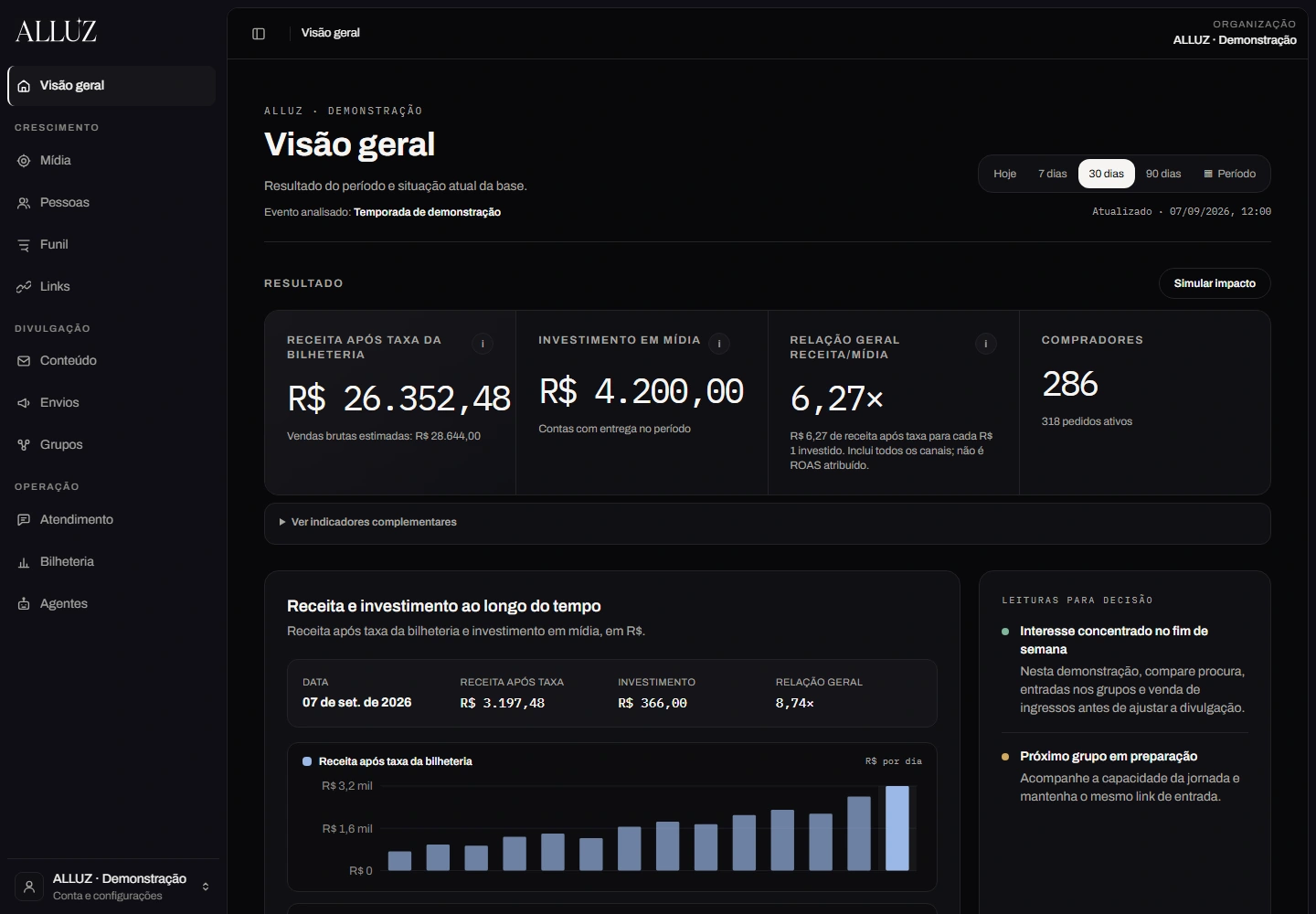
The ALLUZ platform, with sample data.
ALLUZ · INSIDE THE PLATFORM

The system behind the operation.

Explore the dashboard, links, groups, messaging and ticketing in the ALLUZ platform screens.

ALLUZWhatsApp
SAMPLE DATA
01Overview

Revenue, media and audiences in one view.

The overview connects period results with daily trends. The team can distinguish revenue after ticketing fees, media spending and identified purchases.

ALLUZ overview with sample revenue, media and daily trends.
Scroll the screen to explore
0:00 / 0:40
WhatsApp

The audience is on WhatsApp. So is the operation.

From discovery to the right group: stable links, group chains and prepared communication form a continuous journey.

  1. 01One address to share
  2. 02Groups with monitored capacity
  3. 03Context for the next message

Platform screens populated with sample data. The numbers shown do not represent operational results. Enlarge to explore the details.

Reduced motion: explore each step using the controls.
Modules

Twelve modules, a single record.

What a client subscribes to. A module only answers whether it was subscribed; who may operate inside it is a separate permission.

  • Leads

    Who arrived, from which source and at what stage.

    Live
  • WhatsApp

    The main channel here: conversation and campaigns from the brand’s own number.

    Live
  • Groups

    Batch creation, import, sync and per-group capacity.

    Live
  • Stable links

    The published address never changes; the destination does.

    Live
  • Email

    Authoring, versioning and sending to the base.

    Live
  • Automations

    Event-driven cadences, kept separate from the channels themselves.

    Live
  • Ticketing

    Orders, tickets, refunds and occupancy per session.

    Live
  • Reports

    Spreadsheet or PDF export by the team itself.

    Live
  • Executive dashboard

    Revenue, acquisition, media and return in a single view.

    Live
  • Media

    Spend and performance of paid campaigns.

    Live
  • AI agents

    The automated service that answers in the channel.

    Live
  • MCP access

    Operating the platform from your own assistant. Read-only at birth: writing requires human approval.

    In progress
Overflow

A group fills up. The link stays the same.

A WhatsApp group has a member ceiling. When an audience arrives in bulk, the problem is not creating a group: it is deciding exactly when to create one, without scattering empty groups and without leaving anyone at the door.

The rule is the interesting part. A new group is only born when every sibling in the chain is full. If any still has room, nothing is created: the link simply starts pointing to it.

And creation is a policy, not a reflex. Automatic overflow is opt-in, needs its own approval permission, and the system reconciles what it created. A webhook that creates groups on impulse is how an operation loses control of itself.

Where this lives: Mechanics and governance in docs/specs/alluz-whatsapp-groups-overflow.md and the @caravela/whatsapp-groups package. The approval permission is separate from read and connection permissions.
Stable links

The address you published cannot change.

A link printed on a creative, pinned in a bio and forwarded by message becomes a permanent address in thousands of hands. Changing that address is impossible; changing where it lands is what solves it.

This mechanism is what makes overflow invisible: the chain switches groups underneath, and whoever clicks keeps arriving through the same door.

Where this lives: The stable links module belongs to the platform itself, with an authorship trail for destination changes. Replacing an external service with in-house infrastructure was a design decision, recorded in the module investigation.

Ticketing

The sale happens outside. The reading has to happen inside.

Tickets are sold through the show’s official box office. What was missing was not selling again: it was seeing orders, tickets, refunds and per-session occupancy next to the rest of the operation, instead of opening another system and reconciling by hand.

Synchronisation brings the reports in, and the dashboard starts telling apart revenue after fees, media spend and purchases linked to an identified person. Without that, every number becomes a meeting-room estimate.

Where this lives: Report sync and session lookup are implemented in the client project; the framework’s ticketing service registers its own provider. The platform reads ticketing: it does not reserve, charge or issue tickets.

Experiment

One link, two destinations, one answer.

Because the published address is stable and the destination is swappable, it serves one more purpose: splitting arrivals between variants and counting how many people each one received.

The experiment lives in the platform, with its own state and an assignment count per variant. It is not a meeting-room guess about which creative worked: it is one source leading to two places, and the count on each side.

It applies to whatever comes after the click too: two groups, two pages, two ways in. The question changes; the mechanism does not.

Where this lives: Experiment state and variants with assignment counts exist in the platform’s link campaign module. The reading is assignment per variant, not sales: linking a click to a purchase requires ticketing reconciliation.

One platform

Every extra tool is one more reconciliation.

The common alternative is assembling the operation from third-party parts: one service to shorten links, another to broadcast, another for groups, another for reports. Each one charges, holds a fragment of the data and loses sight of the rest.

Here the modules share the same records, the same permissions and the same trail of who did what. The link that arrived, the group that received, the message that went out and the order that closed are one story, not four exports.

A module here answers one question: did this client subscribe? Who may operate inside it is a permission, and whether the code is switched on is a third thing. Confusing the three is how a system starts denying access without being able to say why.

Where this lives: The module catalogue is pure data, with no server import, so that no second source of truth about the offering can exist. Keys carry no client name: ALLUZ is the first client, not the owner of the vocabulary.

THE STARTING POINT

The event grows.
The operation stays clear.

An experience starts long before the performance. The team needs to know where the audience comes from, which groups have room, what is scheduled to send and how sales fill each session. Scattered information makes the next decision harder.

THE PRODUCT RESPONSE

The dashboard shows the selected period; Links manages entry; Groups tracks chains and capacity. Content and Campaigns separate message preparation from approval and scheduling. Support follows Luz and provides access to human service; Ticketing brings together sales, reversals and session occupancy.

THE NEXT STEP

The team follows link destinations, campaign status and group capacity in one place. Ticketing shows orders and tickets by session; the overview distinguishes revenue after ticketing fees, media spend and purchases linked to an identified person.

A CONVERSATION WITH DIRECTION

Each step prepares the next.

  1. 01

    Read the moment

    The overview brings together period results, daily trends and the areas that need the team’s attention.

  2. 02

    Guide arrivals

    Stable links keep the shared address while letting the team track traffic sources and destinations.

  3. 03

    Keep groups growing

    Group chains follow occupancy and capacity rules to route new arrivals to the next group.

  4. 04

    Prepare and track campaigns

    Content, approval and scheduling organise group, email and individual WhatsApp campaigns with visible statuses.

  5. 05

    Read sales and occupancy

    Ticketing shows orders, tickets, refunds and sessions. Occupancy percentages require confirmed capacity.

THE LIVE PLATFORM

Open the operations workspace.

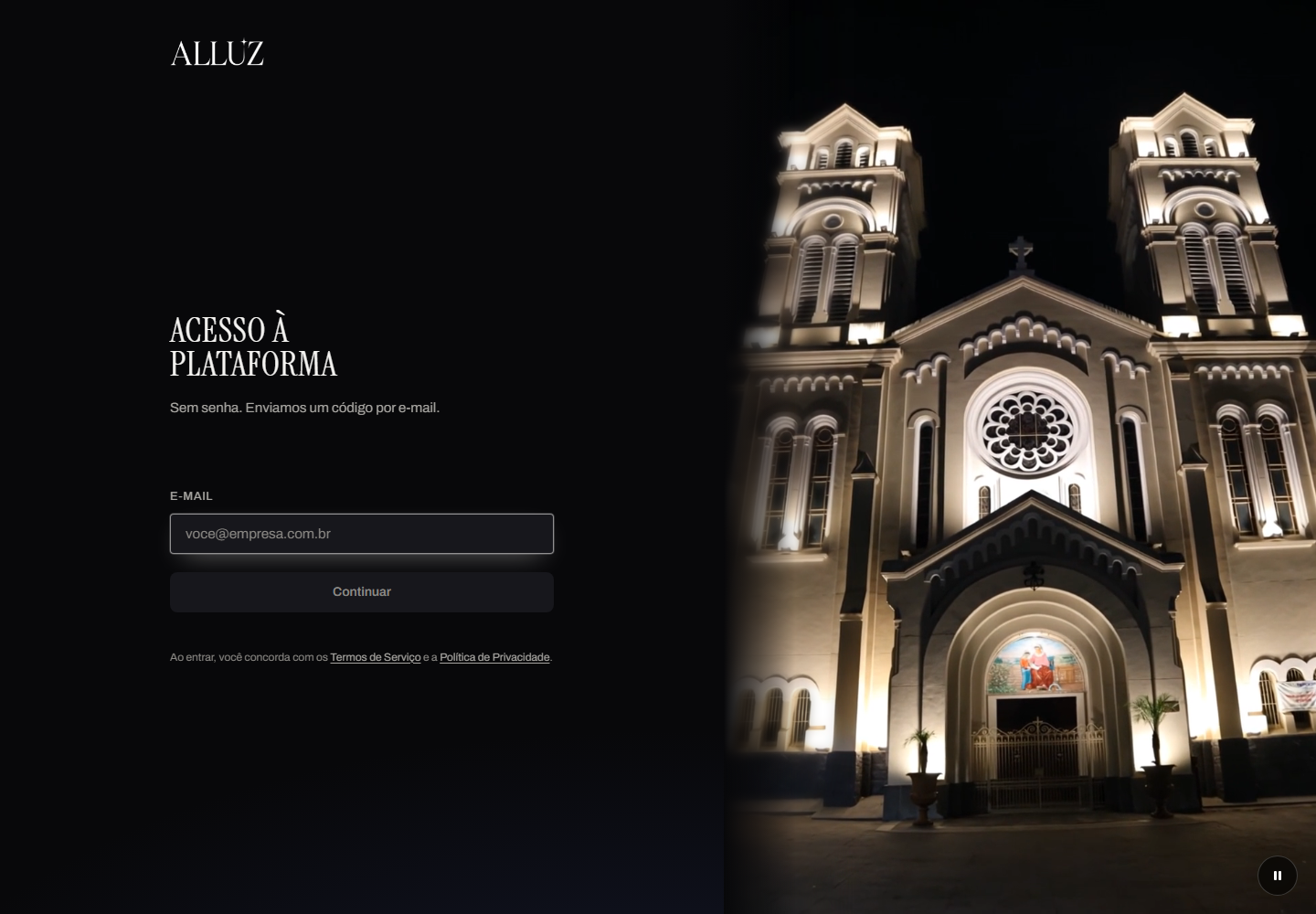
The tour shows platform screens with sample data. To work in ALLUZ, open the platform and use your authorised email address.

  1. Use the email address linked to your account.
  2. Receive your access code by email.

Platform access requires an authorised account and a code sent by email.

The public ALLUZ platform sign-in screen.
EVIDENCE AND CONTEXT

What the operation records.

Platform screens with sample data. Access to the live system requires an authorised account. The demonstration sends no messages and makes no purchases.

ALLUZ

Continue through the company’s channel.

This link opens the real commercial channel. The demo conversation stays separate.

Another story. Another challenge.Explore the collection