A request that arrives ready for work.
The conversation becomes a record with identifier, specialty, preferences, contact, owner and deadline. The request stops depending on whoever remembered it.
Falecomigo · UnimedASSISTED SCHEDULING
Doctors' calendars aren't connected. Today, booking an appointment means someone calling the practice, writing down free slots and relaying them — request by request.
The system turns that work into an operation. A WhatsApp agent registers the request; the team checks with the doctor in a queue with an owner and a deadline; the patient picks by number, on the same channel. Nothing gets lost in between.
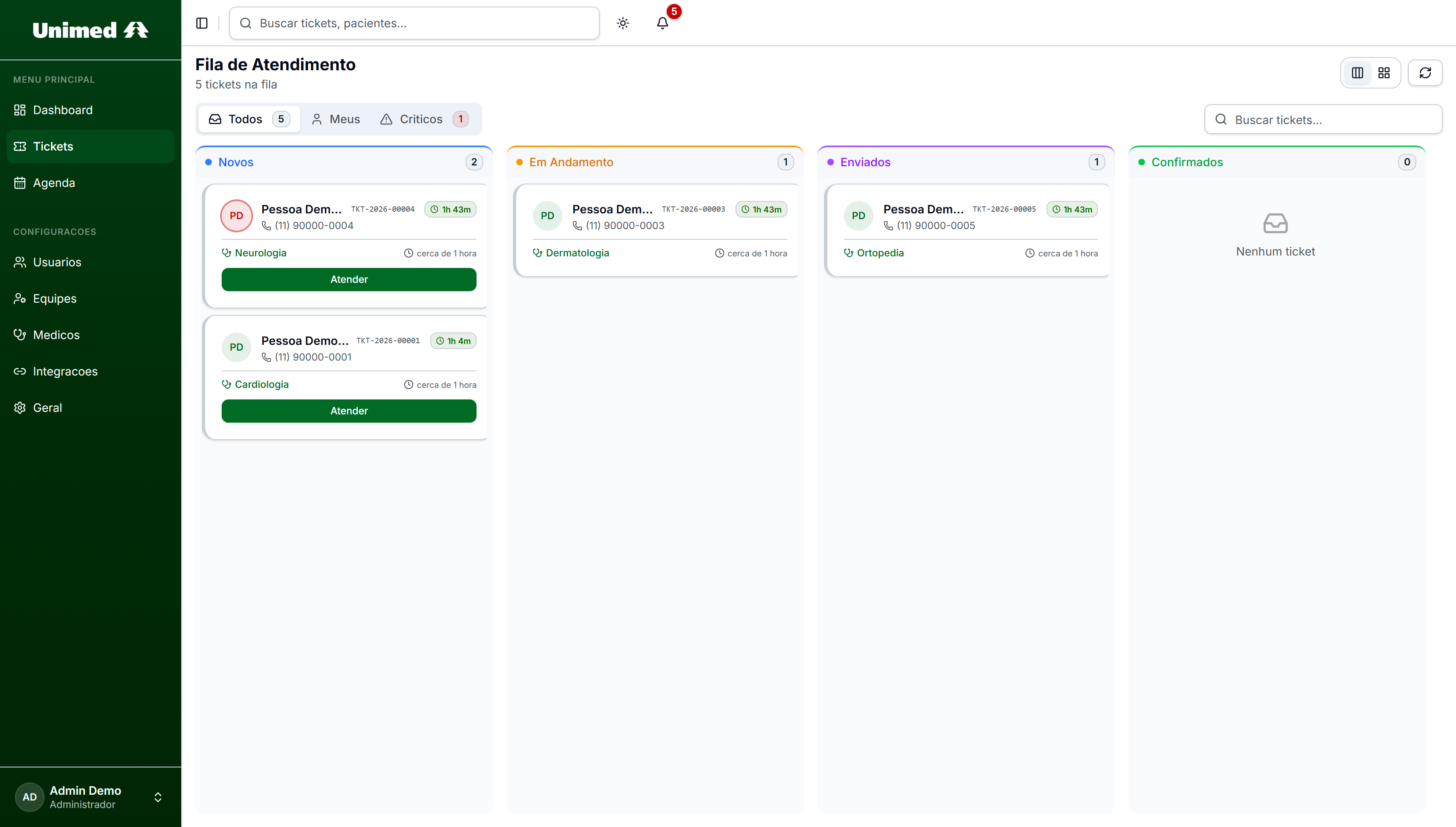
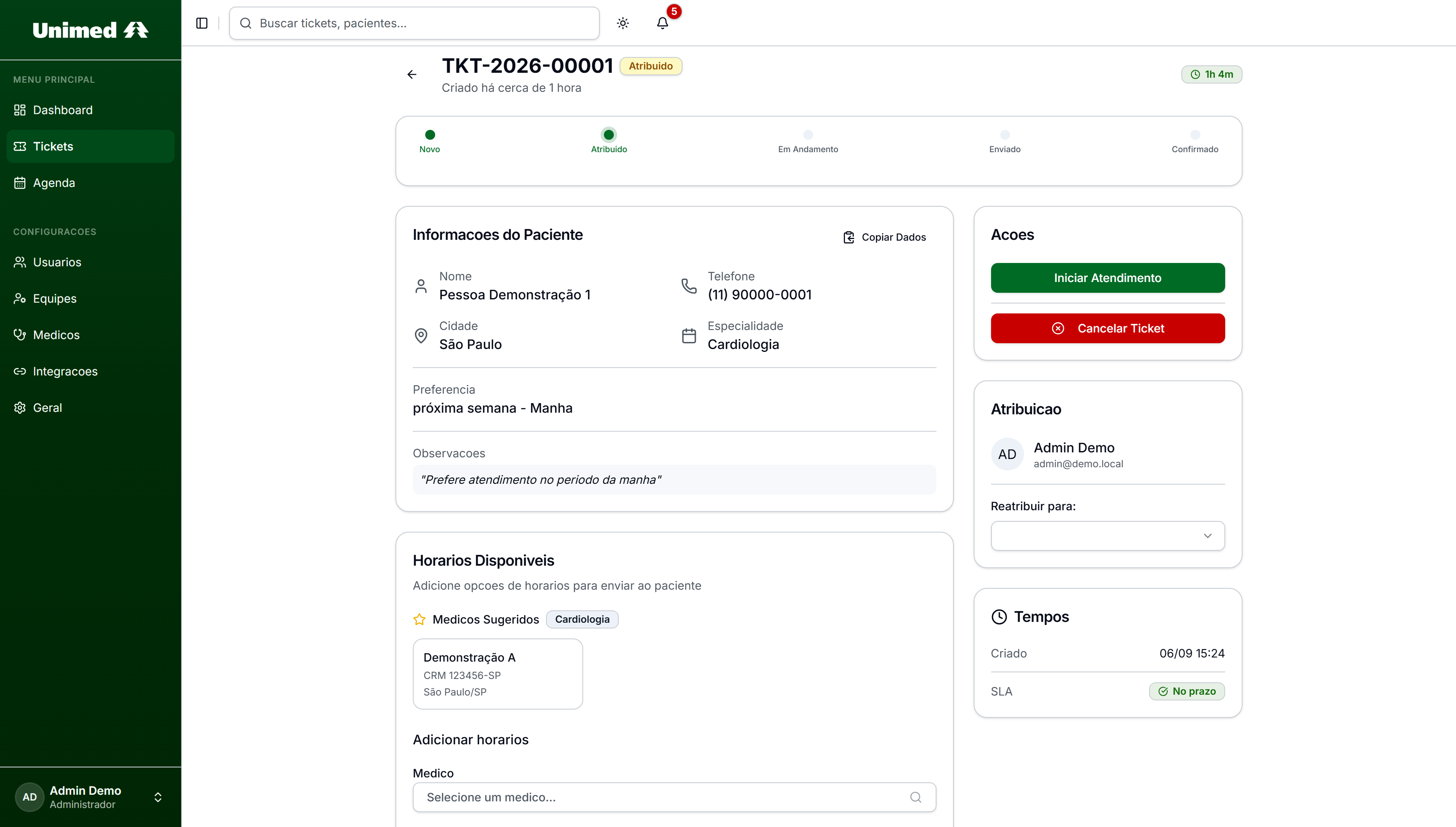
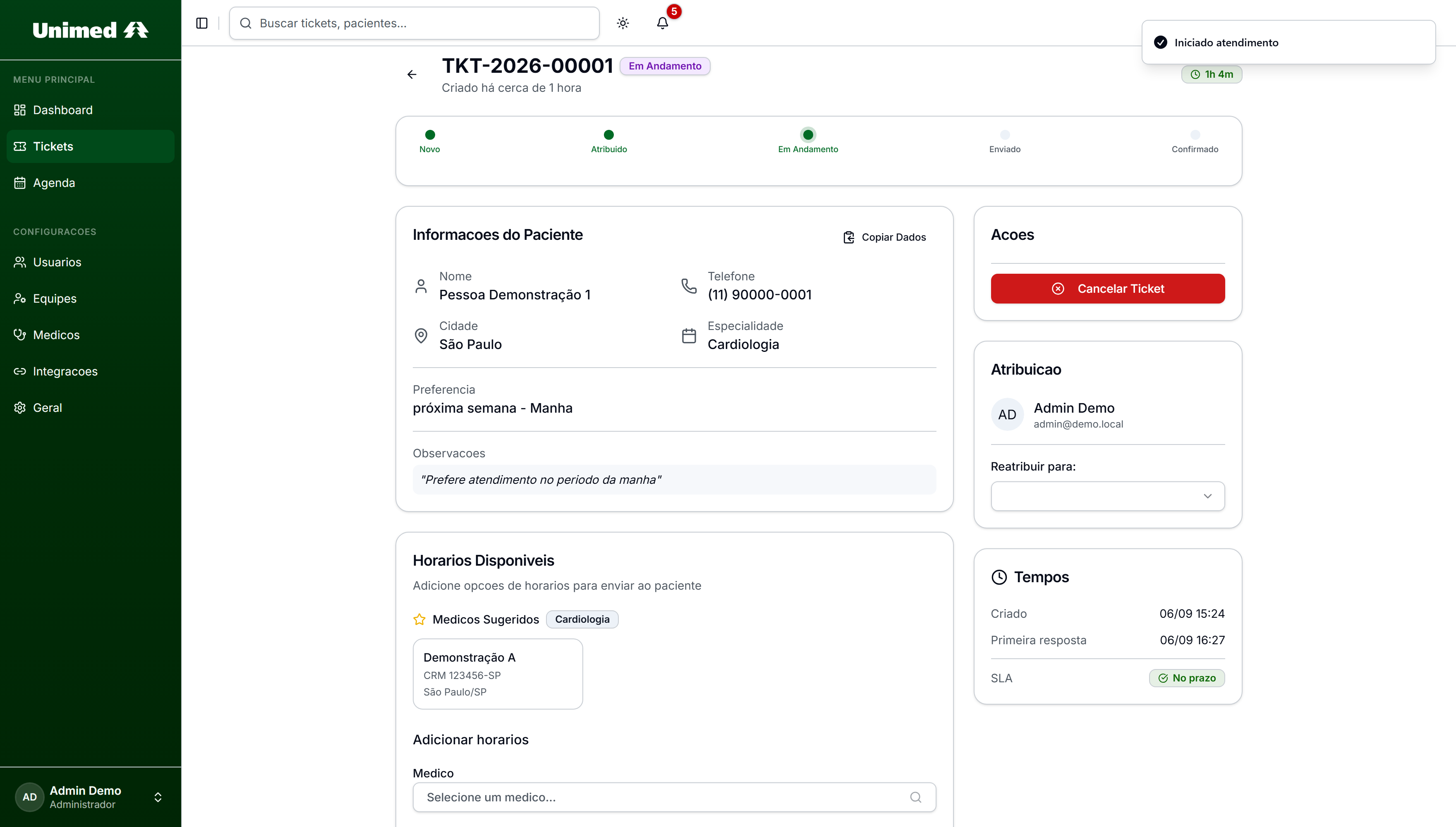
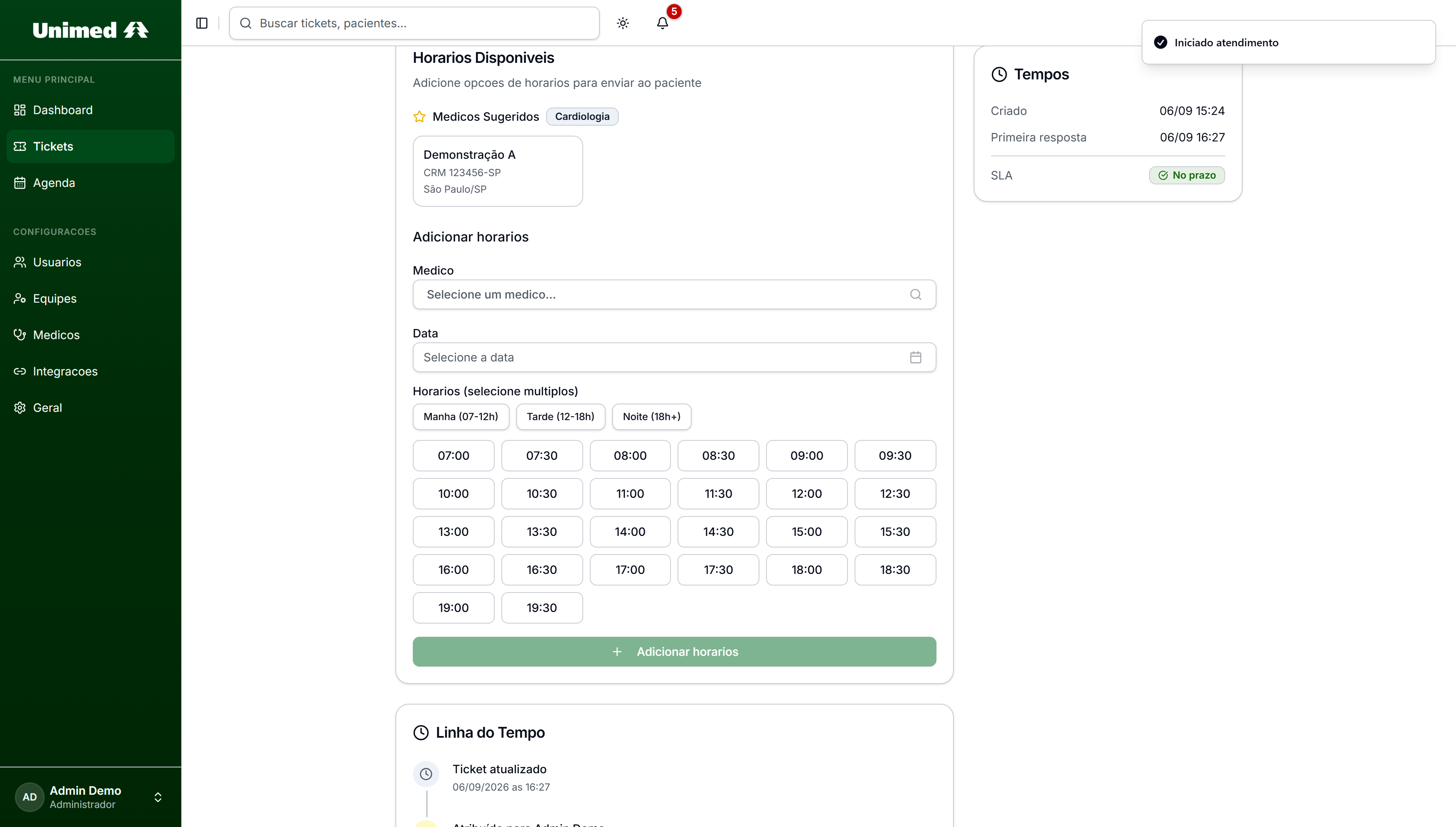
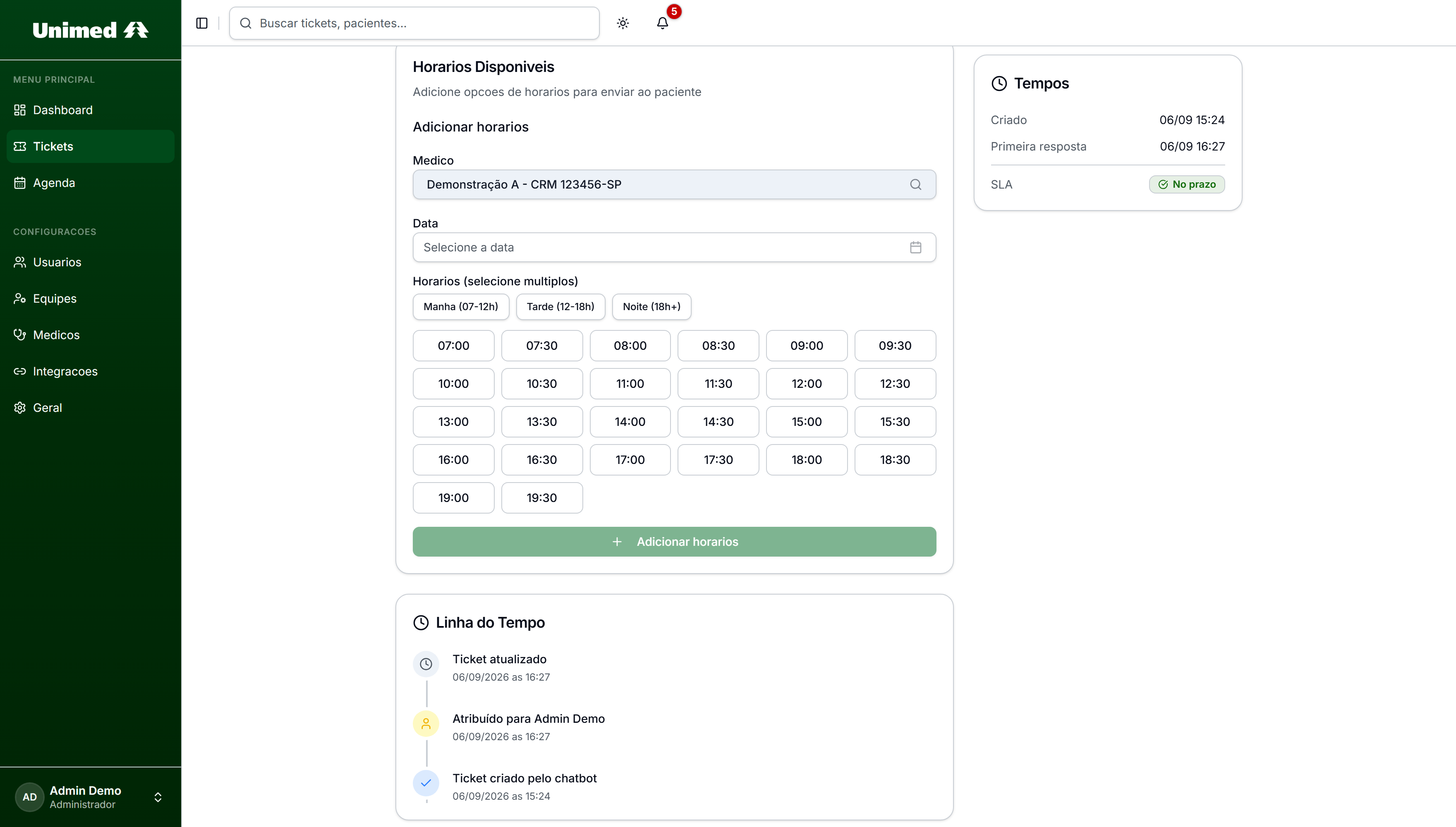
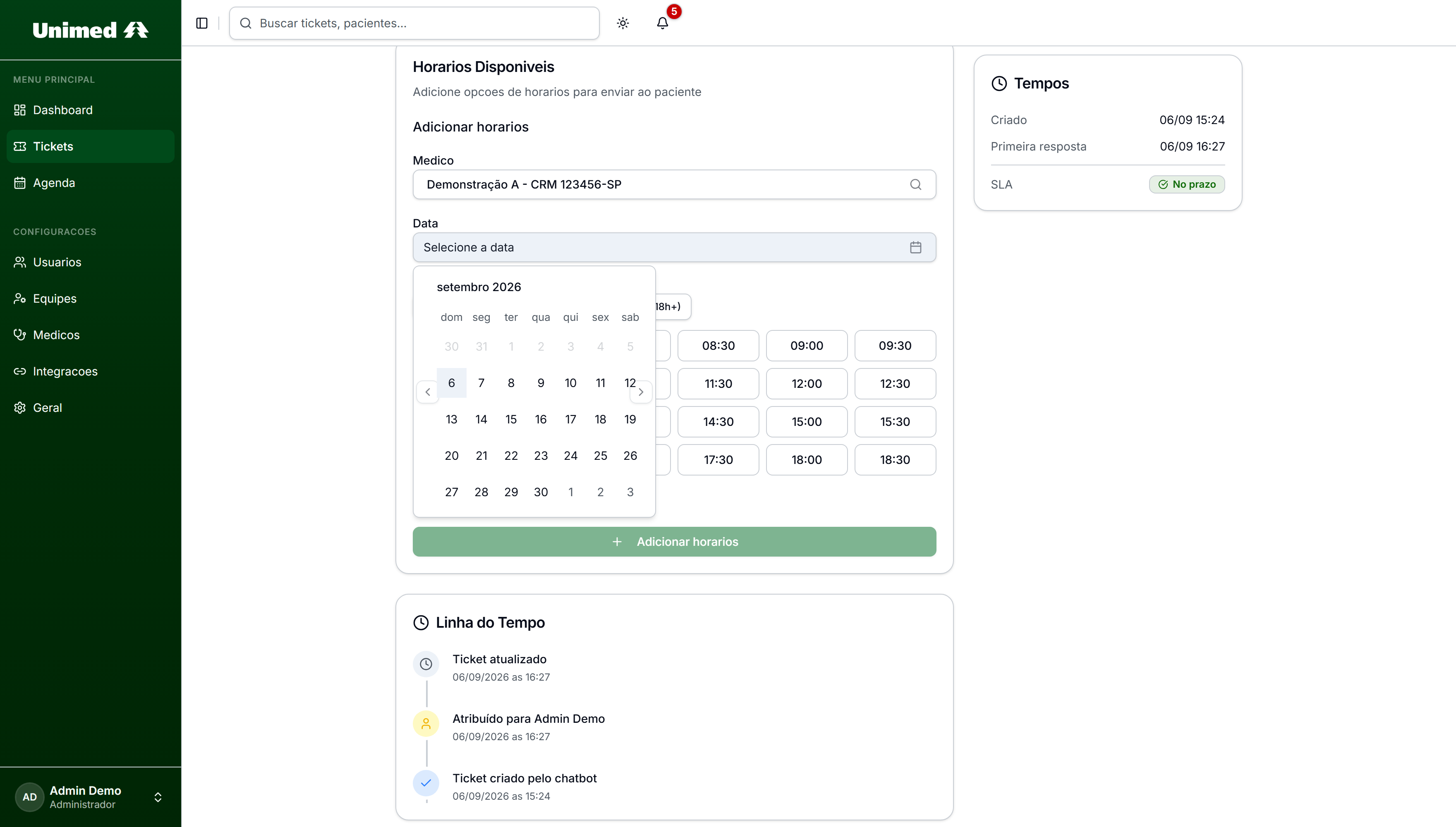
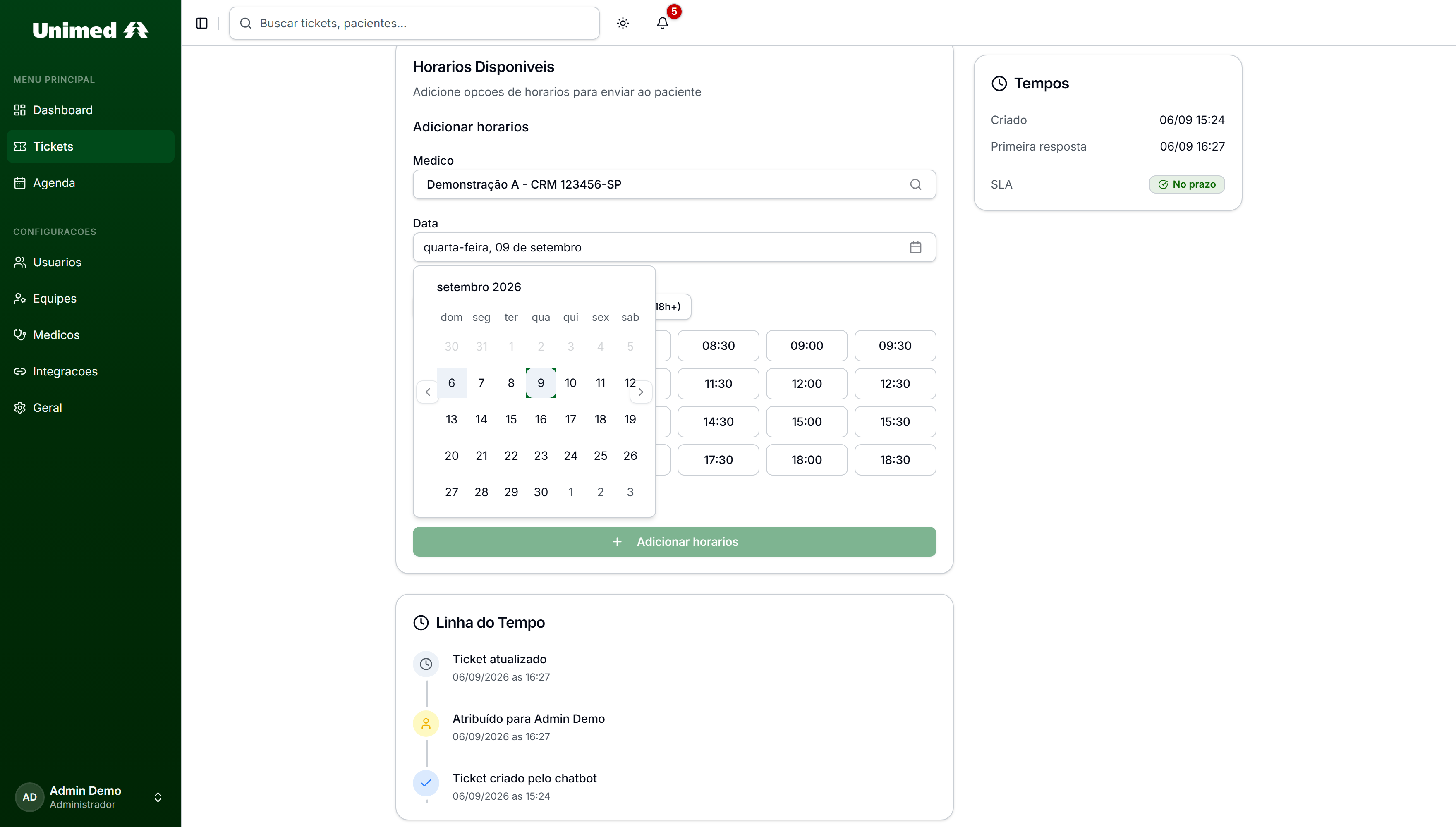
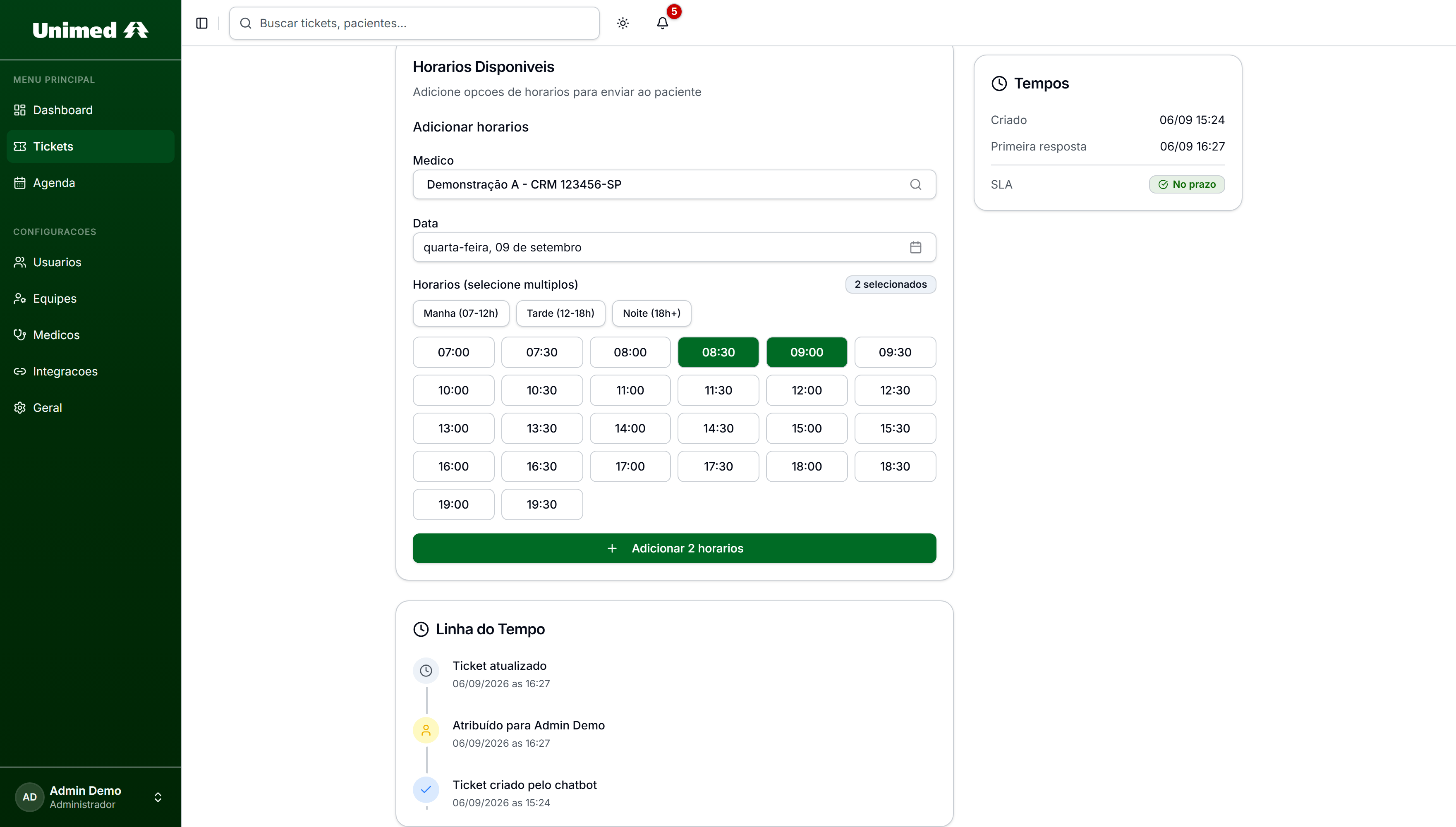
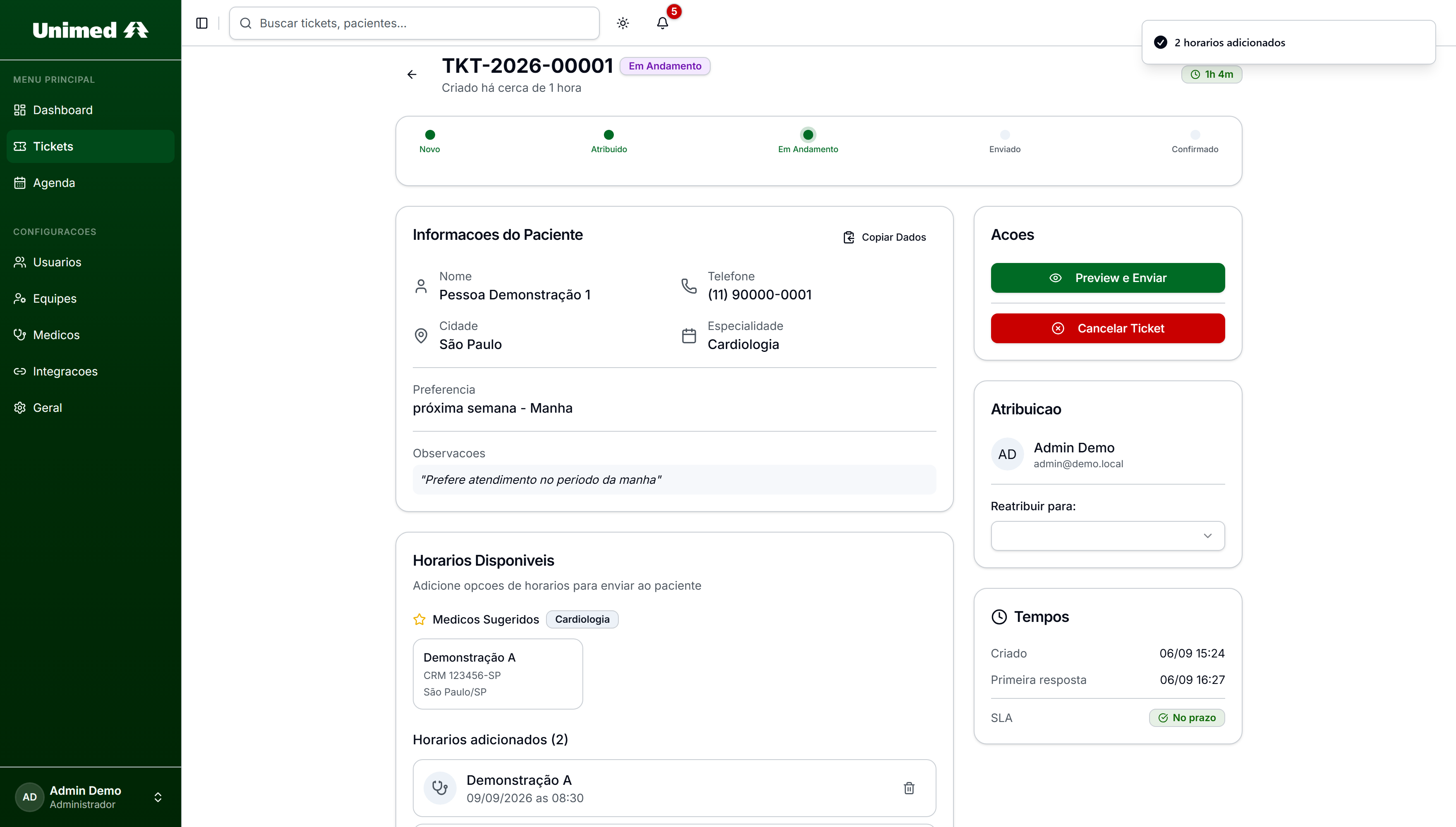
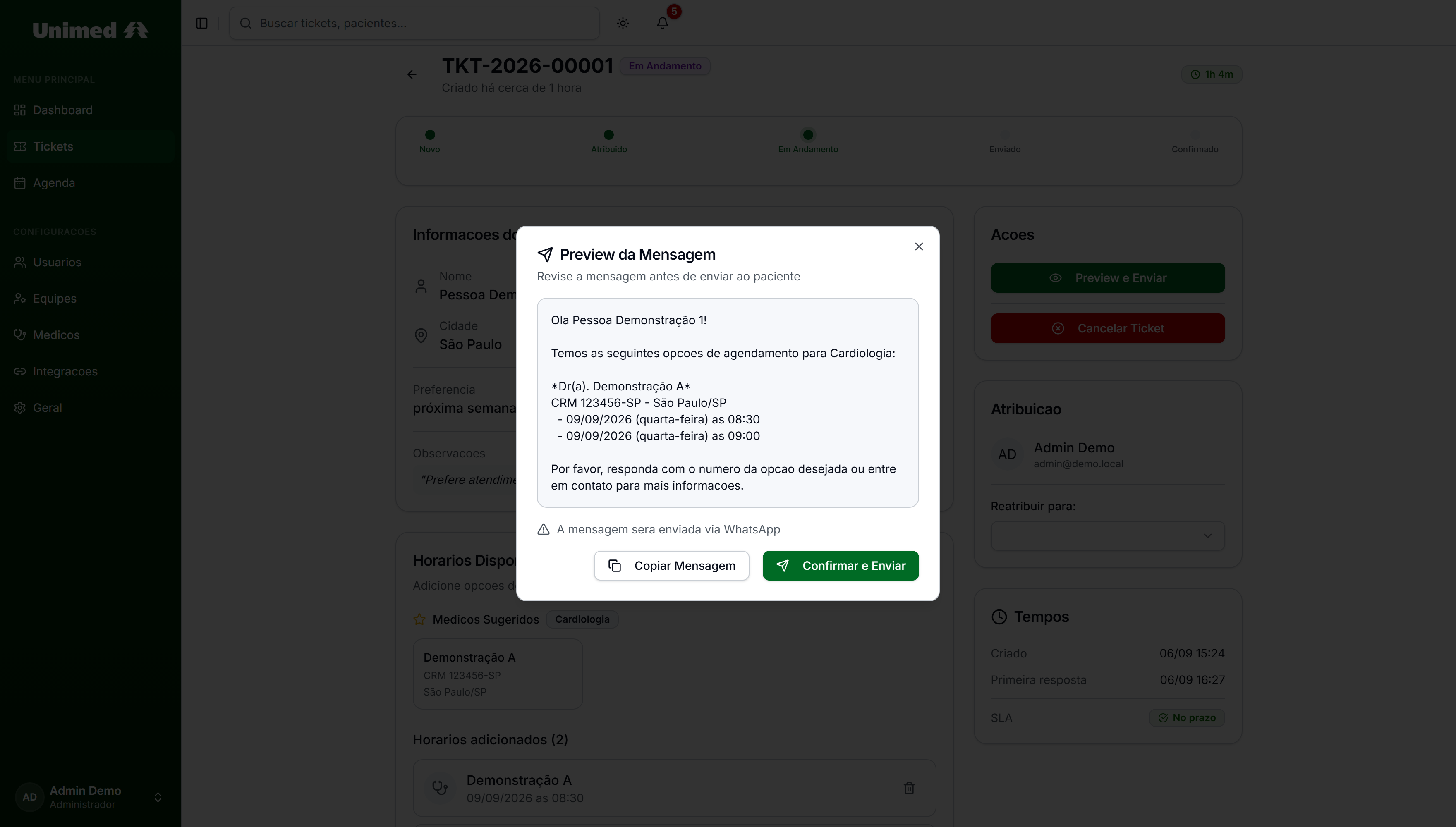
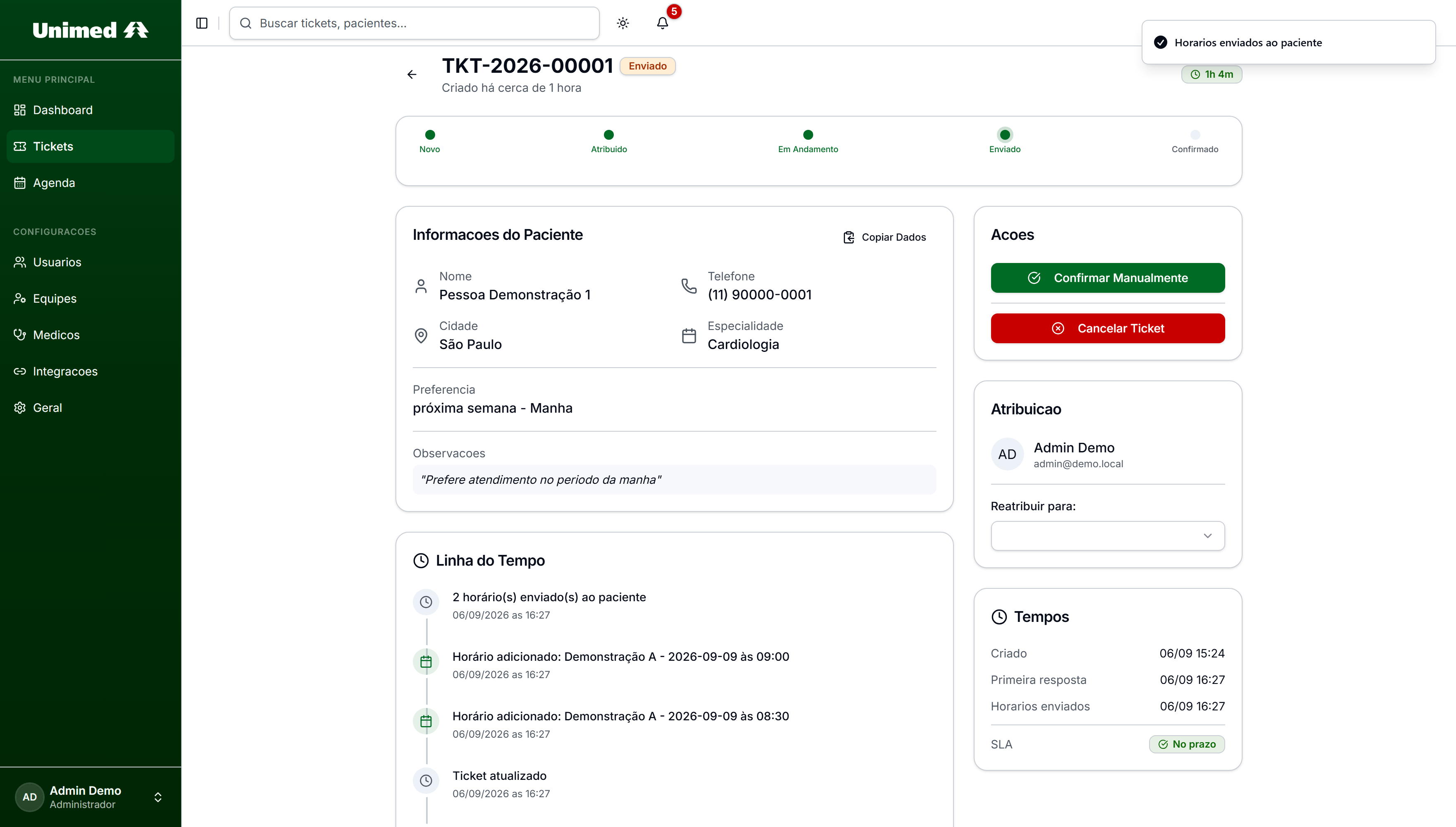
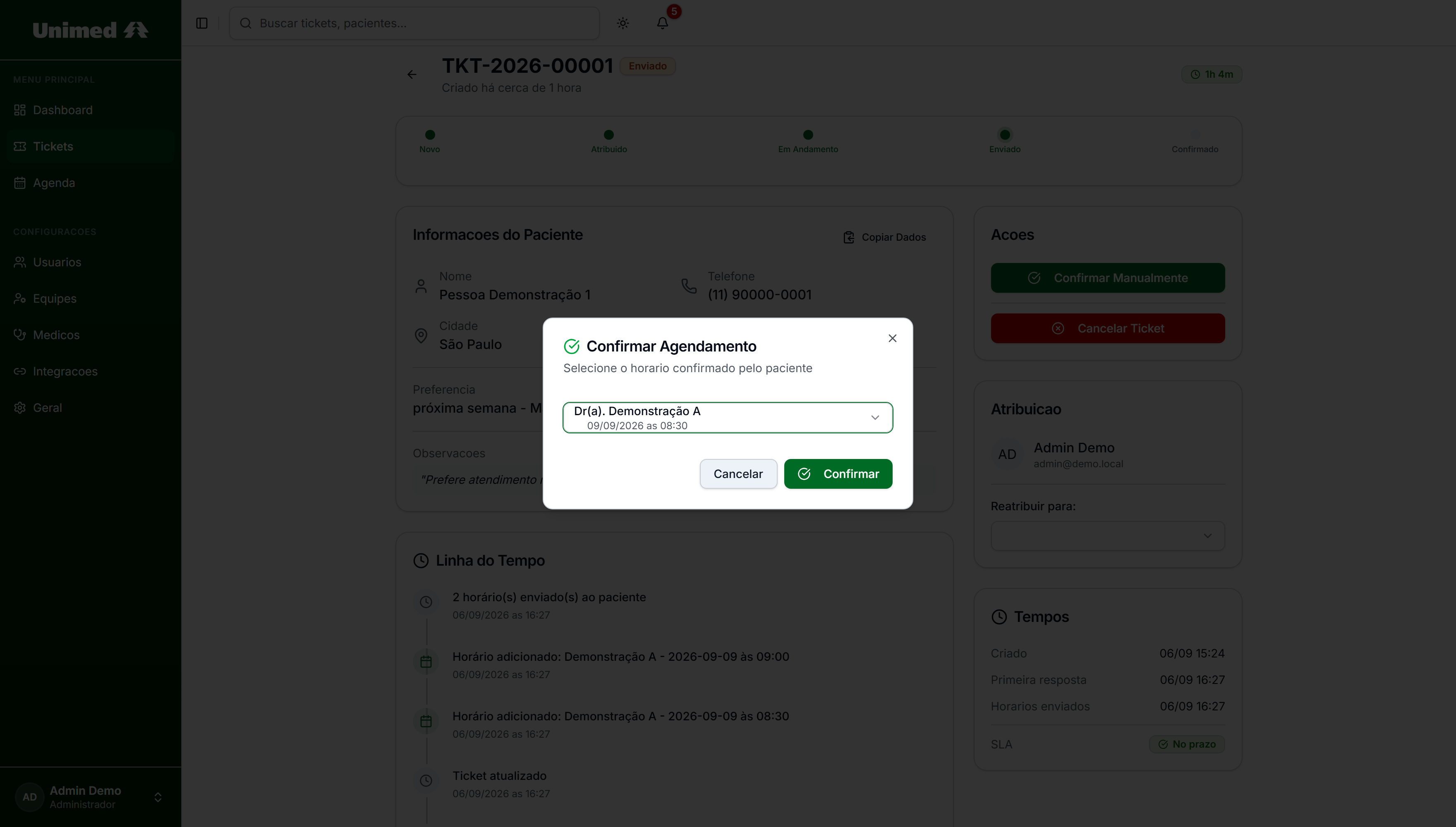
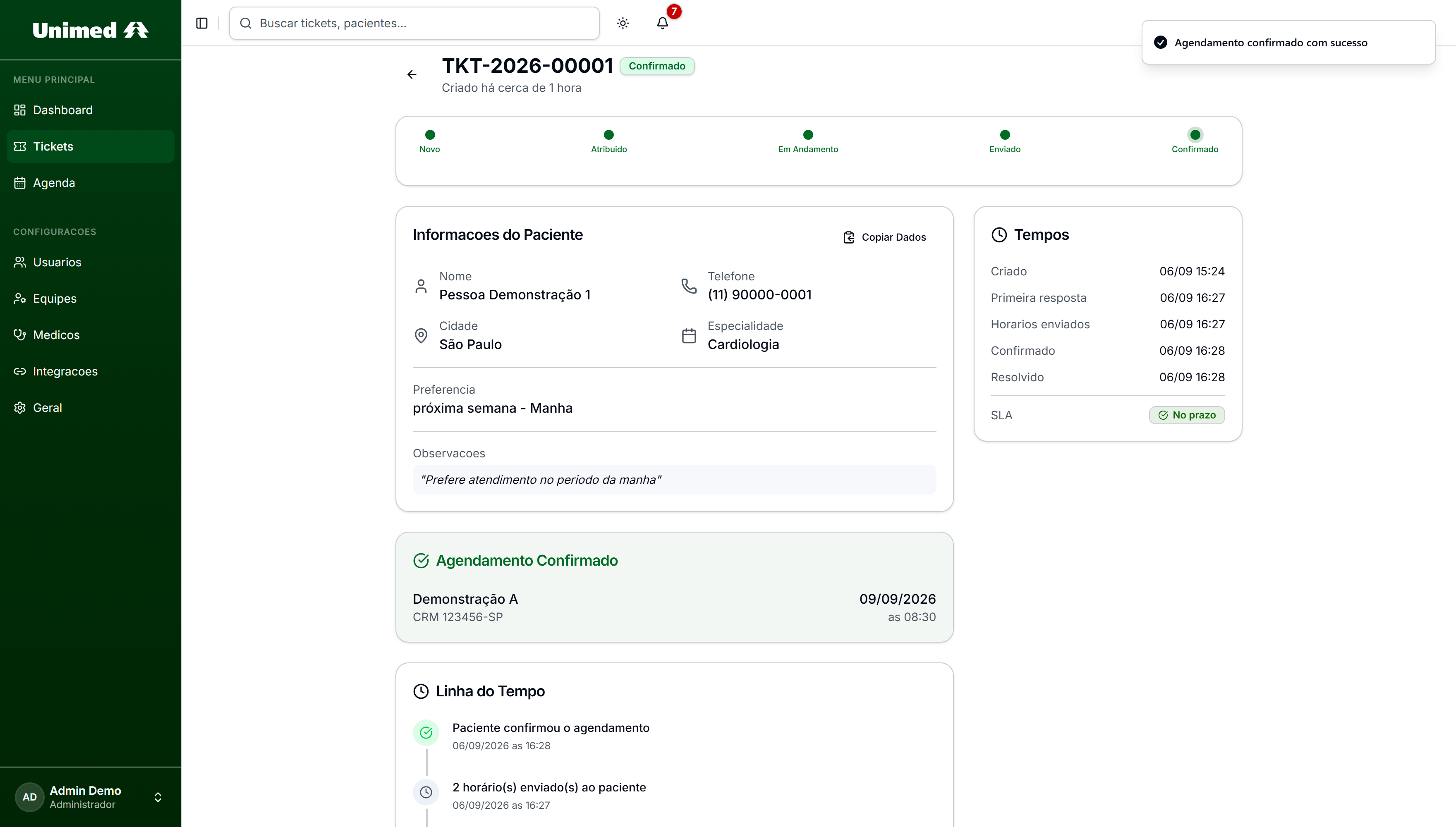
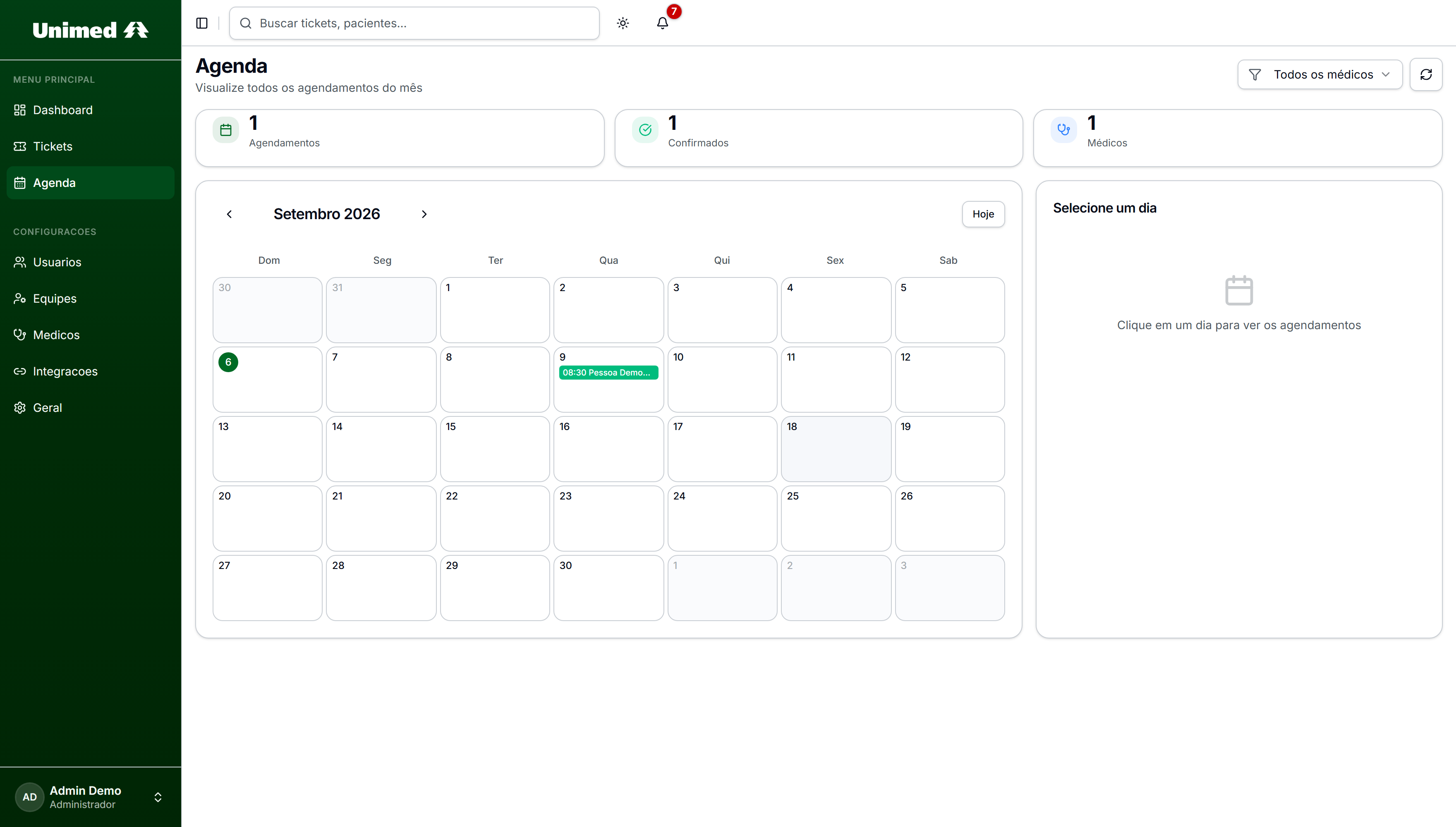
The request arrives from WhatsApp and lands in New.
Journey actually executed in the application, in an isolated demo environment, and photographed state by state. The cursor and the zoom are editorial.
Case in curation. Cooperative, authorship and delivery status await confirmation. The screens are captures of the original application running in an isolated demo environment, with a database created from scratch and fictitious identities. This page uses no patient data, does not connect to the client platform and publishes no result metrics.
Practices don't expose availability in any connected way. To book, reschedule or switch specialty, someone in operations calls the doctor, asks for free slots, writes them down and relays them to whoever asked.
Every request becomes a chain of calls and callbacks. The work isn't clinical: it's operational, repetitive, and it doesn't scale with volume.
The system doesn't solve this by integrating calendars nobody exposes. It organizes the work around that limitation: it turns the request into a record with an owner and a deadline, preserves the preferences, and returns the answer through the same channel it came from.
The fourth step happens outside the system, by phone. It's precisely the one the product exists to shorten — and the only one no integration solves today.
Captures of the original application in an isolated demo environment. Not mockups, not redesigns.
The path of a request: arriving, being taken, receiving slots and becoming an appointment.
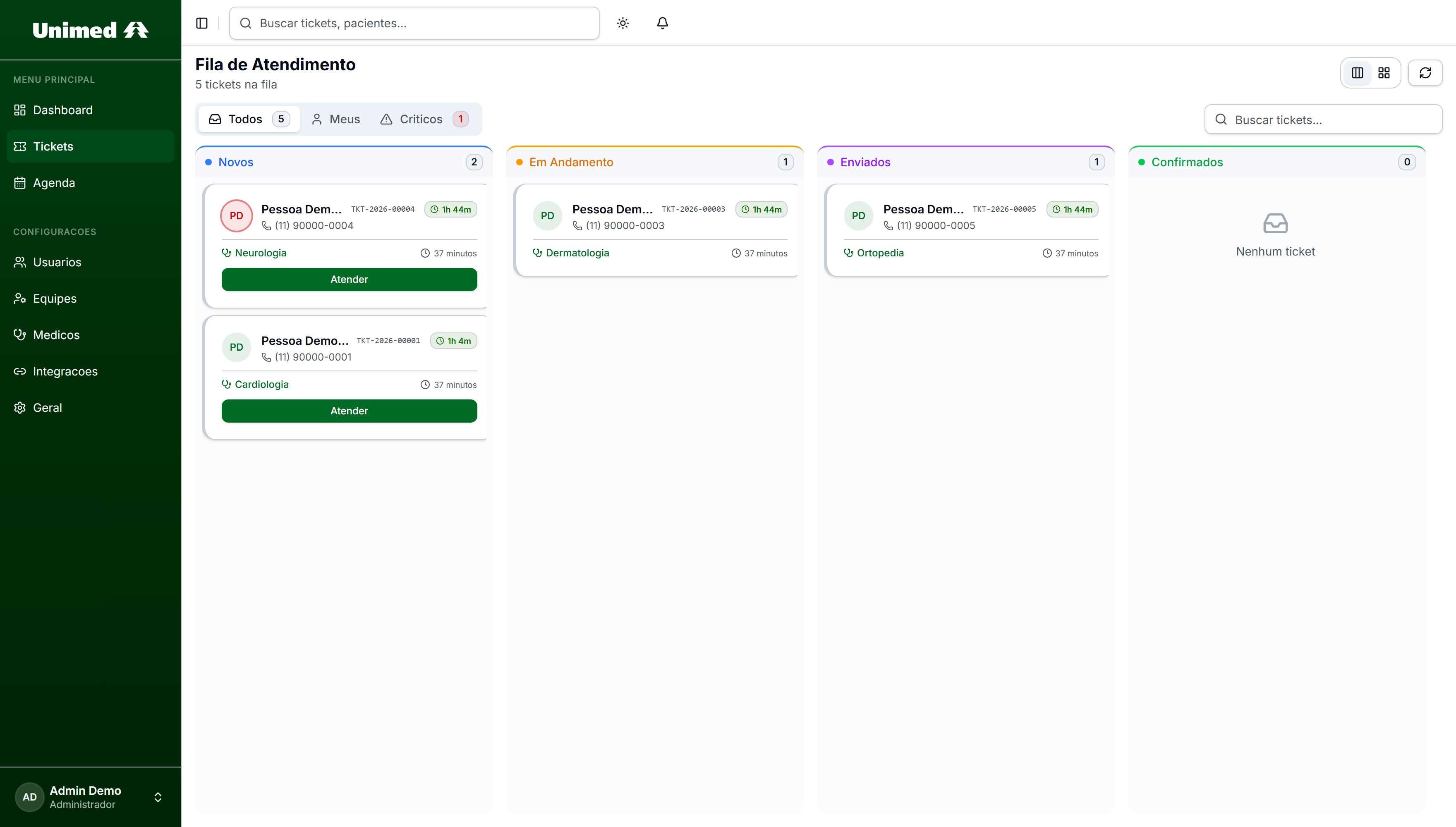
One place to follow what came in and what hasn't been answered yet.
Kanban with the product's four columns: New, In Progress, Sent and Confirmed. Each card carries an identifier, specialty and deadline.
1 / 3 — Service queue
Demo environment created from scratch: local seeded database, no SMTP, no webhook and no connection to production. Patients, professionals and users were replaced with demonstrative identities before capture. Indicators do not represent project volume or results. 7 screens in total.
7The agent identifies the person, triages by plan, understands specialty and preference, and registers the request. When the team comes back with slots, the choice is a number. Alongside, what happens on the platform at every step.
One question at a time.
Hello! Welcome 😊 This channel is exclusively for booking appointments. 1️⃣ Book an appointment 2️⃣ Reschedule or cancel 3️⃣ Other requests
1
Hi! I'm the Unimed assistant 😊 What should I call you?
Demo Person
Nice to meet you, Demo! To help you better, I need your ID number (CPF). You can type it here, digits only 😊
•••.•••.•••-••
Found your record, Demo! ✅ Plan: Demo Plan Which specialty are you looking for?
busca_cliente called before the reply
cardiology
Perfect! I'll register your request and our team will check available slots with the cardiologists 😊 When would you like the appointment?
as soon as possible, in the morning
I'll ask for the *earliest available* slot, in the *morning*, right?
yes
Done, Demo! Your request is registered! 📋 Our team will contact the doctors to check the slots and get back to you shortly ⏱️
Criarticket called before the reply
Hi, Demo! We found Cardiology slots 💚 1️⃣ 09/09 at 08:30 — Dr. Demonstração A 2️⃣ 09/09 at 09:00 — Dr. Demonstração A 👉 Reply with the number of the slot you want.
1
Perfect, Demo! ✅ I registered your choice for 09/09 at 08:30 with Dr. Demonstração A. ⚠️ If you need to cancel, let us know 1 day in advance 😊
ConfirmarAgendamento called before the reply
Menu, name, ID. The record is validated before any promise.
Illustrative reconstruction based on the agent's instructions. Not a recording, and no proof of message delivery. Name, ID, plan, protocol, professional and slots are fictitious, created for this presentation.
The agent opens with a three-option menu. When the person chooses to book, it asks for the name and then the ID, one piece of data per message — an explicit rule in the prompt: never ask for specialty, city and date together. Only after the lookup tool returns the record does it mention the plan. The ID appears masked in this reconstruction.
For cardiology, the prompt says not to list doctors: the request goes to all cardiologists and the team checks. When the patient answers "as soon as possible", the agent treats it as a valid date — insisting on a specific day is forbidden — and confirms once. With the "yes", the data is closed: the agent calls the ticket-creation tool and only then says it registered.
The request becomes a ticket on the platform. The team calls the cardiologists, writes down the free slots and records the options in the system. It's the manual step that motivated the product: doctors' calendars aren't connected. The presentation clock compresses hours into seconds.
The team sends the numbered options through the same channel. The patient replies with the number — and the prompt forbids reinterpreting it as a menu or a new request. The agent calls the confirmation with the chosen position, waits for the real return and only then confirms, with doctor, day and time spelled out. On the platform, the ticket becomes Confirmed and enters the calendar.
What makes the agent trustworthy isn't the list of tools: it's the set of rules and prohibitions it carries. Five of them structure every conversation.
Name, then ID, then specialty, then date. Three lines per message at most. The prompt assumes the person won't read everything — and writes for that.
The request goes to every cardiologist; listing names only confuses. The team calls, checks and returns what's free. It's the rule born directly from the calendar problem.
"As soon as possible" counts as a date. Repeating the question with example days after that counts as ignoring the patient — and is forbidden.
After the "yes", asking for the same data in other words is a violation. One confirmation per piece of information, then move on. "Sure", "ok" and 👍 count as yes.
Announcing "let me check" and ending the turn is forbidden. The order is: call the tool, read the real return, only then reply. Without real success, it never says "registered".
The rules above are the instructions written for the agent. They are documented intent, not execution tested in this presentation.
The patient asks on WhatsApp. The agent identifies, triages by plan, collects specialty and preference, and registers. Later, it receives the choice by number.
The request becomes a ticket with an owner and a deadline. The team calls the practices, writes down free slots and records the options. It's the bottleneck the product organizes instead of pretending to integrate.
Queue, owner, state, deadline, slots, history and calendar. It is the record of the service, whichever surface is used.
The agent runs in an orchestration layer outside the application and talks to the platform through an API. The language model isn't named here: it isn't in the material provided.
The link between professional and owner is what makes the queue work: it defines who receives each request and which doctors a secretary can offer. Administration covers users, teams, professional records and those associations.
The records screen was captured in the demo environment and is in the gallery. What's still missing is the action itself — linking and seeing the consequence — which works better as motion than as a still image. No link will be changed in production data to record a presentation.
The conversation becomes a record with identifier, specialty, preferences, contact, owner and deadline. The request stops depending on whoever remembered it.
States, assignment and history make visible where each request stopped — including when it is waiting for a doctor to call back.
The team records the options on the platform; the patient receives the numbered list on WhatsApp and picks with a number. The agent only confirms after the real return of the tool.





Technologies identified by reading the code and the material provided. Authorship, period and delivery status will be published only after confirmation; no impact metric is shown because none was verified.